
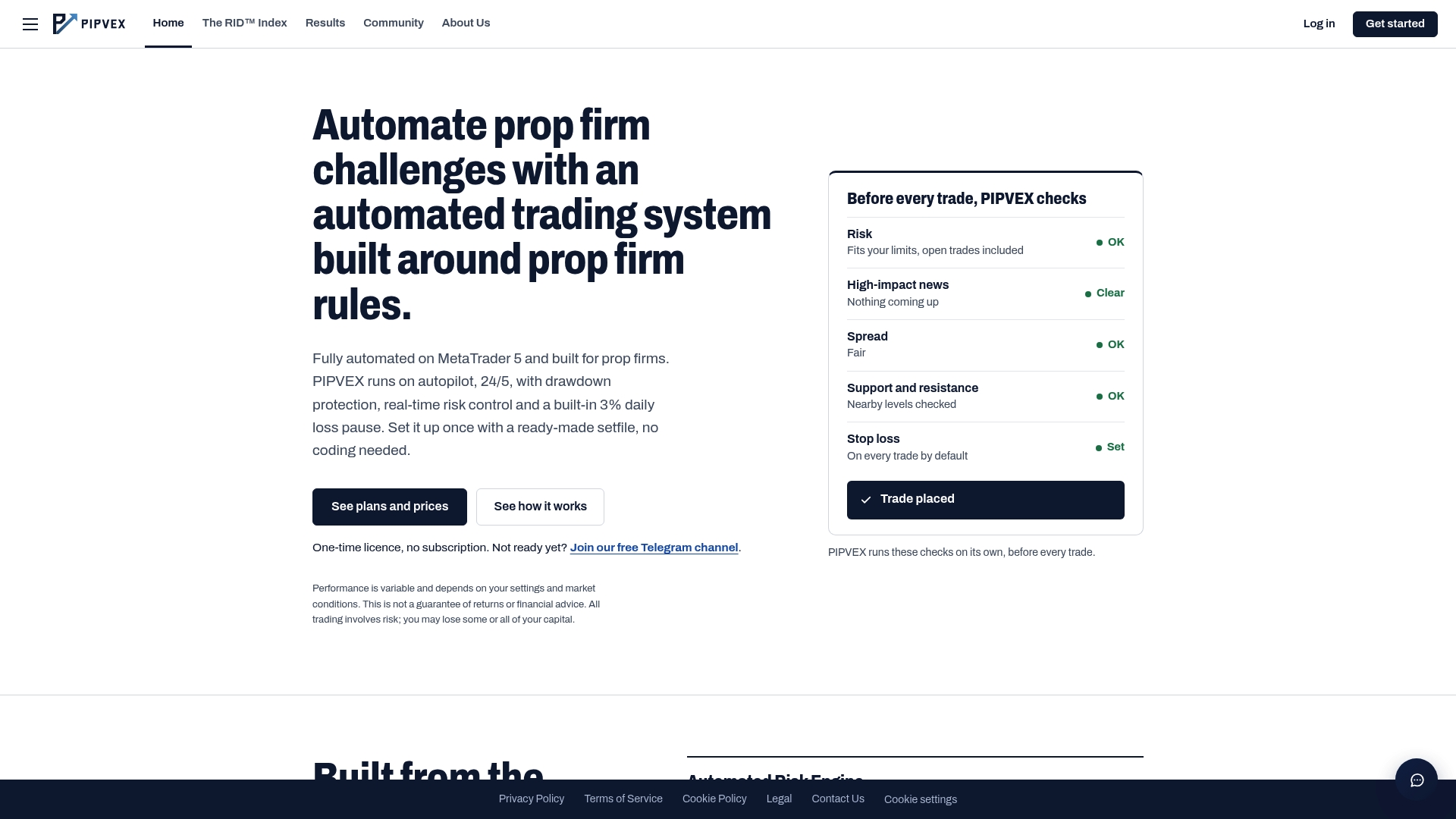
In trading, automated order management means software places, sizes, modifies and closes your orders by fixed rules, so no decision depends on how you feel in the moment. For a prop firm trader, the rules that matter most are position size, stop loss, daily and overall drawdown, and news windows. PIPVEX is a MetaTrader 5 Expert Advisor built around those controls, sold as a one-time licence.
The phrase also turns up in e-commerce, where it means processing customer orders. This article is about the trading meaning: what happens to an order from the moment a setup appears to the moment the position is closed.
TL;DR
- Automated order management covers the whole life of a trade: entry, position size, stop loss, take profit, adjustments, exit and the limits that stop trading altogether.
- Regulators and industry bodies treat pre-trade risk controls, such as maximum order size and kill switches, as the core safeguards of any automated system.
- On prop firm accounts, the controls that matter are drawdown protection, trade-level risk checks and news filtering, because one breach ends the challenge.
- Backtest and simulate before going live, and change one setting at a time.
- PIPVEX bundles these controls into one MetaTrader 5 Expert Advisor, with Basic at $69.99, Pro at $119.99 and Expert at $169.99, each a one-off price.
Table of Contents
- What automated order management means in trading
- The tasks automation takes over
- Why prop firm accounts need this more than personal accounts
- How the pieces work together: a worked example
- What regulators and industry bodies say about risk controls
- What to look for in an automated order management setup
- Setting it up step by step
- Failure modes to watch
- Where PIPVEX fits
- FAQ
- Sources
What automated order management means in trading
Every trade is a chain of small decisions. Which size? Where does the stop go? What if price moves halfway to target? What if the account is already down for the day? Manual traders answer these live, often under stress. Automated order management turns each answer into a rule that a program carries out the same way every time.
On MetaTrader 5, that program is an Expert Advisor. MetaTrader describes Expert Advisors as mechanical trading systems that can automate both analysis and trading activity. The platform runs the program on your chart, and it sends orders to your broker under the rules you configured.
The terms "order management" and "trade management" are used almost interchangeably by retail traders. A useful distinction:
- Order management is the mechanics: submitting, modifying and cancelling orders, and checking each one against limits before it goes out.
- Trade management is what happens to an open position: moving a stop, taking partial profit, closing before news or at the end of a session.
Good automation covers both, plus a layer above them that watches the account as a whole.
The tasks automation takes over
Position sizing
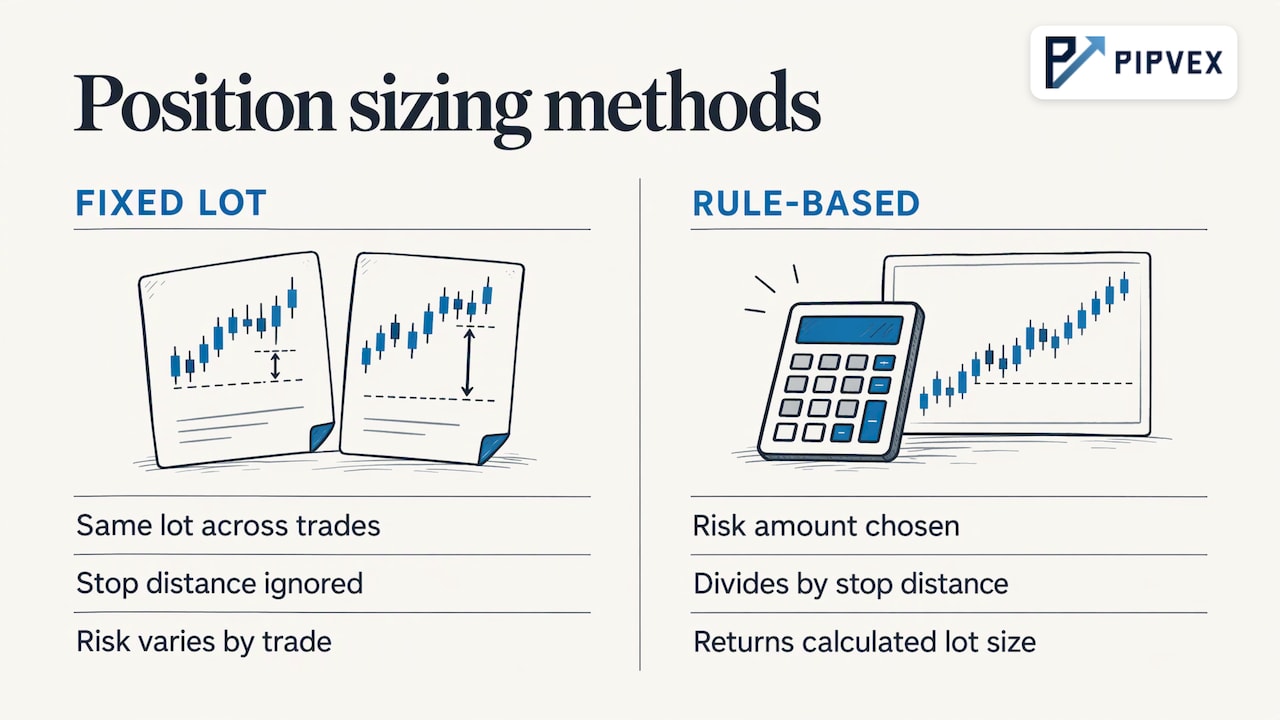
Sizing is where most account blowups begin. A fixed lot size ignores the distance to your stop, so the same lot risks very different amounts from one trade to the next. Rule-based sizing starts from the amount you are willing to lose, divides by the stop distance and returns the lot size. The U.S. Commodity Futures Trading Commission's Technology Advisory Committee reference document notes that automated trading risk limits can include hard limits such as position size, which should reflect the trader's capital base, style, experience and risk tolerance. For a retail trader, the capital base is the account balance, and on a prop firm account it is the drawdown allowance.
Stop losses and take profits
A stop loss attached at order entry cannot be forgotten or moved in a panic. Automation attaches it every time and can then manage it: moving to break-even after a set gain, trailing behind price, or closing part of the position at a first target. The value is consistency, not cleverness.
Maximum order size and sanity checks
The Futures Industry Association (FIA), a trade body for the derivatives industry, describes the "fat-finger" limit in its 2024 paper. A maximum order size sets the most that can be sent in one order, applies when an order is submitted or modified, and the paper says systems should block orders for instruments where no limit exists. The same idea scales down to a single account: a hard ceiling on lot size that no setting or typo can exceed.
Time and news rules
Spreads widen and slippage grows around high-impact economic releases. A news filter keeps the system from opening or holding positions in a window around those events. Many prop firms also restrict trading around news, so the filter doubles as rule compliance.
Account-level limits
This is the layer manual traders skip. A daily loss limit stops new trades once the day's loss reaches a set level. An overall drawdown limit does the same across the life of the account. On a funded account the rules might also include a profit target and a minimum number of trading days, and automation can track those too.
Why prop firm accounts need this more than personal accounts
On a personal account, a bad day costs money. On a prop firm challenge, a bad day can end the evaluation, because the firm's daily and maximum drawdown rules are hard cutoffs. The rules are strict and numeric, which makes them ideal for automation: a program never forgets the daily limit, never revenge trades after a loss, and never sizes up to "get it back".
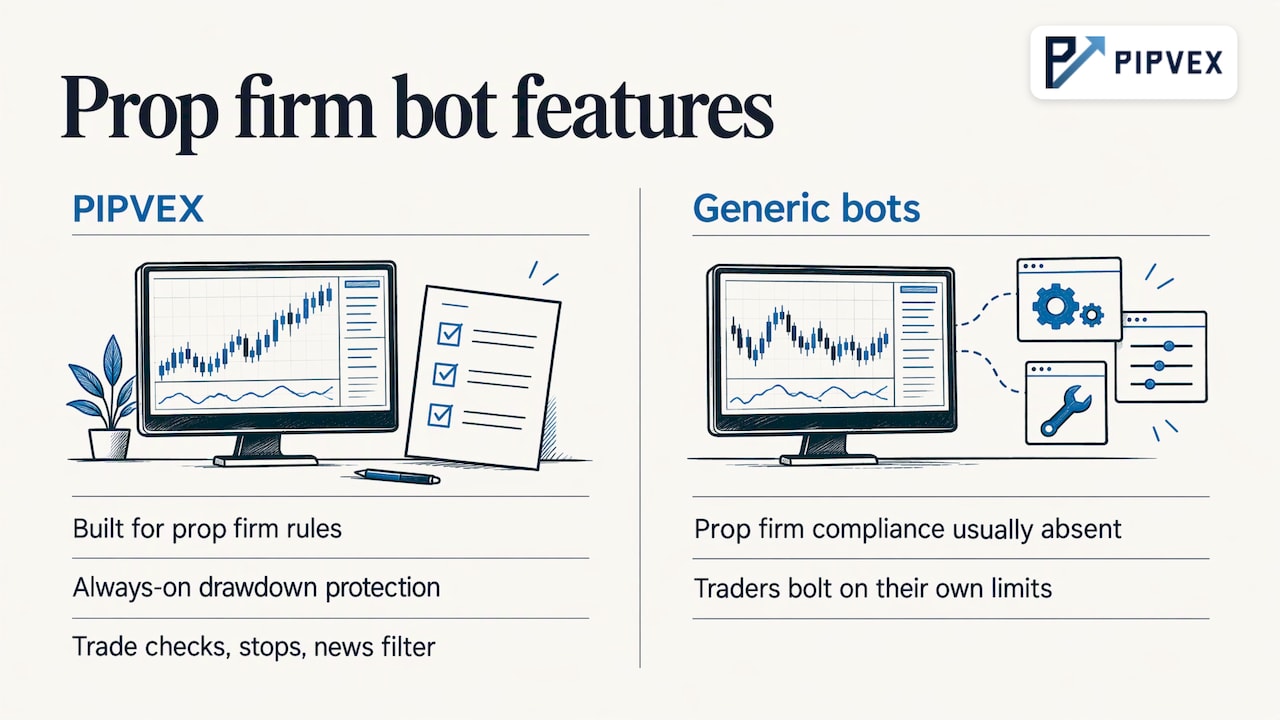
That is the idea behind PIPVEX. It is built specifically around prop firm rules, with drawdown protection that is built in and always on, trade-level risk checks, stop losses and high-impact news filtering inside one MetaTrader 5 Expert Advisor. Generic trading bots usually do not include prop firm compliance as a feature, so traders end up bolting on their own limits.
How the pieces work together: a worked example
Take a $100,000 challenge account with a 5% daily drawdown limit and a 10% overall limit. These are common structures, but your firm's published rules are the ones that count, including whether limits are measured on balance or equity.
- Set the risk per trade. You decide to risk 0.5% per trade, which is $500.
- Sizing from the stop. The setup has a stop 25 pips away. On a pair where one standard lot is worth about $10 per pip, 25 pips costs $250 per lot, so the position is 2.0 lots.
- Pre-trade check. Before the order is sent, the system checks that the lot size is under your ceiling, that no news window is active and that today's loss plus this trade's risk stays inside your daily buffer.
- Management. The stop is attached on entry. A rule may move it to break-even at a set gain.
- Account watch. If the day's loss reaches the buffer you set, say 3% (a safety margin under the firm's 5%), no new trades open.
The buffer is the point. You do not want your own limit equal to the firm's limit, because slippage or a gap can carry you past it. You want your limit to trigger first.
What regulators and industry bodies say about risk controls
The large firms that trade electronically face formal requirements, and the principles carry over to individuals.
The FIA's 2024 best-practices paper states that localized pre-trade risk controls should be the primary tools for preventing inadvertent market activity caused by unauthorized access, system failures and errors. It lists maximum order size limits, price tolerance checks, cancel-on-disconnect and kill switches among the controls. A kill switch is a single action that stops order submission, and for a retail trader it is the ability to switch the Expert Advisor off or have it stop itself.
A comment letter filed in the CFTC's risk-controls docket adds a behavioral rule. It says systems should count repeated executions of the same strategy and, after a configurable number without human intervention, disable themselves until a person re-enables them. In retail terms, that is a cap on the number of trades or consecutive losses before the system pauses.
The U.K. Financial Conduct Authority's review of algorithmic trading adds that controls must be tailored to the type of trading and set at appropriate levels, and that in volatile markets they may need adjusting. That is a good argument for configurable settings rather than hard-coded ones: a limit that suits quiet conditions may be wrong during a major release week.
These are professional-market documents, not retail rules. The takeaway is the shared design: limits checked before an order is sent, limits on the account as a whole, and a way to stop everything.
What to look for in an automated order management setup
Whether you are a newer trader who wants compliance handled or an experienced one who wants control over the details, the same checklist applies. Our guide on choosing an EA for prop firm trading goes deeper. In short:
| Capability | Why it matters | Where PIPVEX stands |
|---|---|---|
| Automated position sizing | Keeps risk per trade constant | Included, with trade-level risk checks |
| Stop losses on every order | Caps the loss on any single trade | Included |
| Daily and overall drawdown protection | Prevents a rule breach | Built in |
| High-impact news filtering | Avoids widened spreads and news restrictions | Included |
| Profit target and trading-day controls | Tracks funded-account requirements | Included |
| Market-regime filtering | Limits trading in unsuitable conditions | Optional |
| Configurable settings and setfiles | Lets you adjust and reuse configurations | Included, with ready-made settings and no coding |
| Virtual trading and backtesting | Lets you watch behavior before risking capital | Included, with published backtest results and downloadable trade histories |
A setfile is a saved list of settings that you load into the Expert Advisor, so you can switch between a challenge configuration and a funded-account configuration in seconds.
Setting it up step by step
1. Read your firm's rules and write down the numbers
Note the daily loss limit, the overall limit, how each is measured (balance or equity, and what resets it), the news restrictions, any profit target and the minimum trading days. Everything you configure comes from these numbers.
2. Choose risk per trade and your own buffers
Pick a per-trade risk that leaves room for a losing streak. Set your internal daily limit below the firm's, as in the example above. PIPVEX handles sizing and risk checks automatically from the values you give it, so the arithmetic is not left to you at entry.
3. Load the settings
The PIPVEX Expert Advisor works from ready-made settings that need no coding, and you adjust them through configurable inputs and setfiles. Start from the preset that matches your account type, then enter your firm's limits.
4. Backtest, then simulate
MetaTrader's Strategy Tester allows Expert Advisors to be tested and optimized before live use, including a visual mode that shows trades on the chart. The FIA's guide to automated trading systems says testing should confirm the system works as designed and that test variables and starting conditions should be chosen so the test verifies the intended behavior. Practically, that means testing over different market conditions, including a volatile stretch, and checking that the drawdown rules fire when they should. PIPVEX provides backtesting support and virtual trading, and its backtest results come with downloadable trade histories you can examine trade by trade.
5. Go live with limits in place
The FCA's review describes controlled deployment with predefined limits on instruments, volumes and positions. For you, that means starting on one instrument and one account, then widening only once behavior matches the plan.
6. Review, and change one thing at a time
Change a single setting, observe, and keep a log. If you change three things and results move, you will not know which one did it.
Failure modes to watch
Automation removes emotional mistakes, not every mistake. The FIA's guide recommends an independent way to view and cancel working orders that does not depend on the same connection the trading uses, since a network failure can cut access at the worst moment. For a retail trader, the equivalent is simple:
- Connection or platform loss. Run MetaTrader 5 on a stable machine or a virtual private server, and know how to reach your broker's platform from a phone.
- Stale settings. A setfile from a quiet month may not suit an event week. Review before major releases.
- Rule changes. Prop firms update their rules. Recheck your firm's limits and update your inputs when they change.
- Over-optimizing. A setup tuned perfectly to past data can fit noise. Prefer settings that perform acceptably across a range of values.
The drawdown protection in PIPVEX is designed to run continuously for exactly these reasons: it watches the account while you are away from the screen.
Where PIPVEX fits
PIPVEX is a MetaTrader 5 Expert Advisor for automated prop firm challenges, funded accounts and personal accounts. The licence is a one-time purchase with no subscription: Basic is $69.99, Pro is $119.99 and Expert is $169.99. You can see what each edition includes on the PIPVEX site, and the prop firm trading bot page covers how it applies to challenges.
If you want sizing, stops, drawdown limits and news rules working together from the first trade, that is the case for starting with a tool built around prop firm rules rather than assembling the controls yourself.
FAQ
What is automated order management?
It is the use of software to handle the life of a trade by fixed rules: entry, position size, stop loss, take profit, adjustments and exit. It also applies account-level limits such as a daily loss cap. On MetaTrader 5 this is done by an Expert Advisor.
Is automated trade management the same thing?
The terms overlap. Order management is about submitting, modifying and cancelling orders with checks. Trade management is about handling an open position, such as moving a stop or closing before news. A complete setup covers both.
Does automation guarantee I pass a prop firm challenge?
No trading method can promise a result. Automation enforces your rules consistently, including drawdown limits and news filters, which removes a common cause of rule breaches: emotional decisions. Results still depend on market conditions and your settings.
How should I check a system before using it on a funded account?
Backtest it in the MetaTrader Strategy Tester, run it in simulation, confirm that the limits trigger as expected, and start live with one instrument and conservative risk. Compare every limit with your firm's current rules.
Sources
- MetaTrader 5 Help: How to Create an Expert Advisor or an Indicator
- MetaTrader 5 Help: Strategy Testing
- CFTC Technology Advisory Committee Reference Document, 2012
- FIA, Best Practices for Automated Trading Risk Controls and System Safeguards, July 2024
- CFTC comment letter, December 11, 2013
- FCA, Algorithmic Trading Compliance in Wholesale Markets, February 2018
- FIA, Guide to the Development and Operation of Automated Trading Systems (2019 edition)
- FIA, Guide to the Development and Operation of Automated Trading Systems (2020 edition)